

Limits exist in four shapes and each returns a different code, so your retry logic can tell "wait" apart from "buy more".
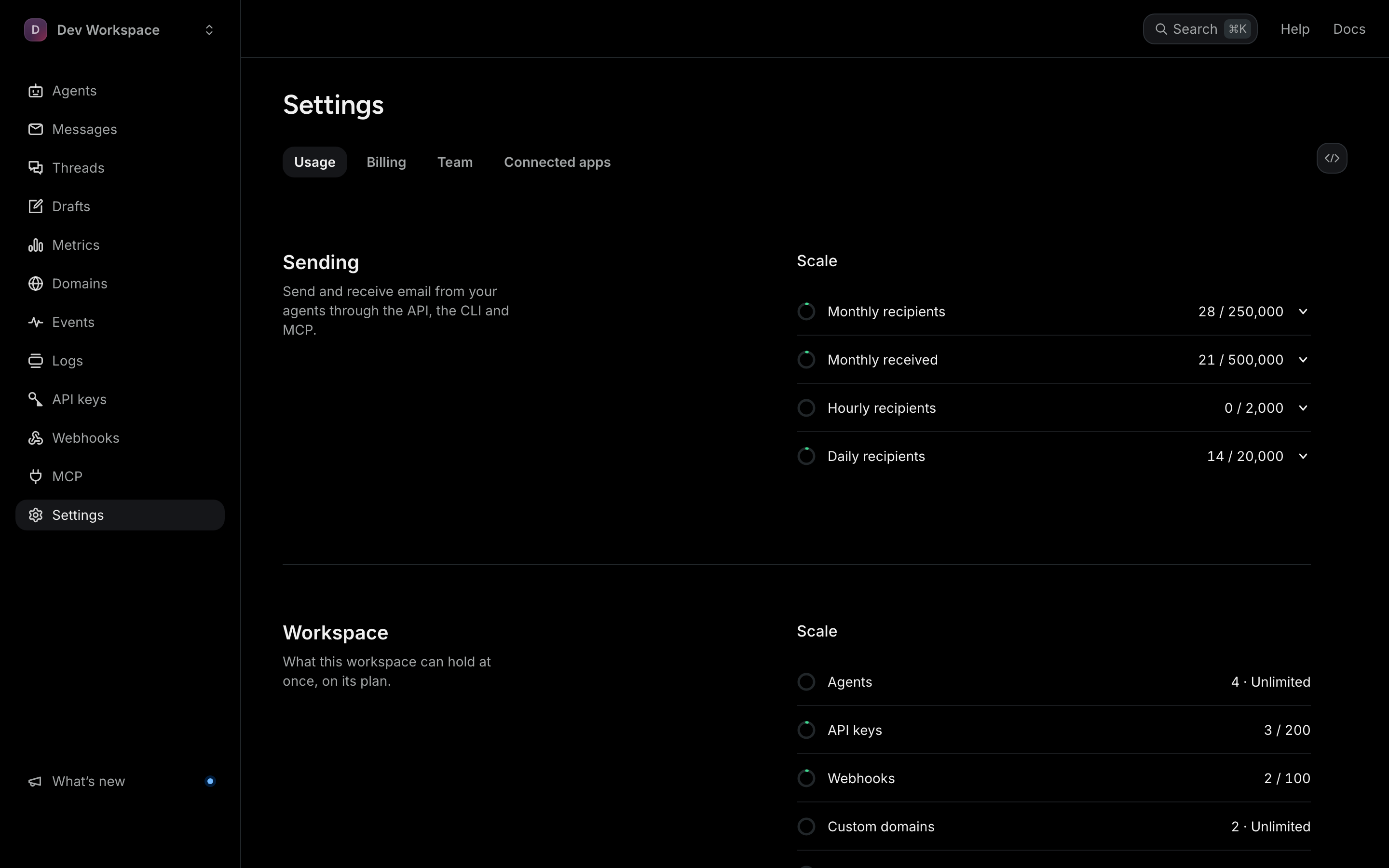
The caps
Free — 3,000 recipients and 3,000 received emails a month, 1 agent, 30 recipients an hour and 300 a day.
Pro ($20/mo) — 50,000 recipients and 50,000 received emails a month, 5 agents, 500 recipients an hour and 5,000 a day.
Scale ($99/mo) — 250,000 recipients and 500,000 received emails a month, unlimited agents, 2,000 recipients an hour and 20,000 a day.
Every to, cc and bcc address of a live send counts once, so one send to three people uses three. Test sends are free and never counted.
The codes
hourly_limit_exceeded/daily_limit_exceeded— a time window, answered with429. The body'sresets_atsays when it clears andretry_after_secondshow long that is. ARetry-Afterheader comes only when the wait is 60 seconds or less. The SDKs (0.3.0 and later) wait and retry then; otherwise they raise an error that carries the reset time, so your code decides what to do.hourly_limit_exceeded/daily_limit_exceededfrom one agent — when you give an agent its ownhourly_send_limitordaily_send_limitbelow the plan's. The message names the agent; only live sends count, and a test send is never refused for them.free_tier_exceeded/monthly_limit_exceeded— the plan's monthly cap, also a429. The body'sresets_atsays when the next billing month starts, and isnullwhen this one send alone is over the cap. To send before then, switch plans under Settings › Billing.new_workspace_fanout_exceeded— you have reached the number of distinct new recipients allowed in 24 hours (25 on Free, 100 on Pro and 250 on Scale for a new workspace). Sending again to an address you have already mailed is never limited, so replies and follow-ups keep working. The allowance rises automatically as a workspace matures.workspace_not_approved— sending is held pending an anti-abuse review. Email [email protected] and we will look at it.recipient_not_allowed— a422: a recipient into,ccorbccis outside the sending agent's ownallowlist_domains, or on itsblocklist_domains. It is your own rule, so it applies to test sends too. Change the agent's lists, or the recipient.
See your usageThe distinct-recipient cap is the one people meet first and understand last. It limits how many NEW people you can mail in a day, not how much mail you can send — which is exactly the shape of the abuse it exists to stop.