
@mailsai/mcp-server maps every REST endpoint to an MCP tool one-to-one. Point any MCP-compatible client at it with an API key and the assistant can operate your mail directly.
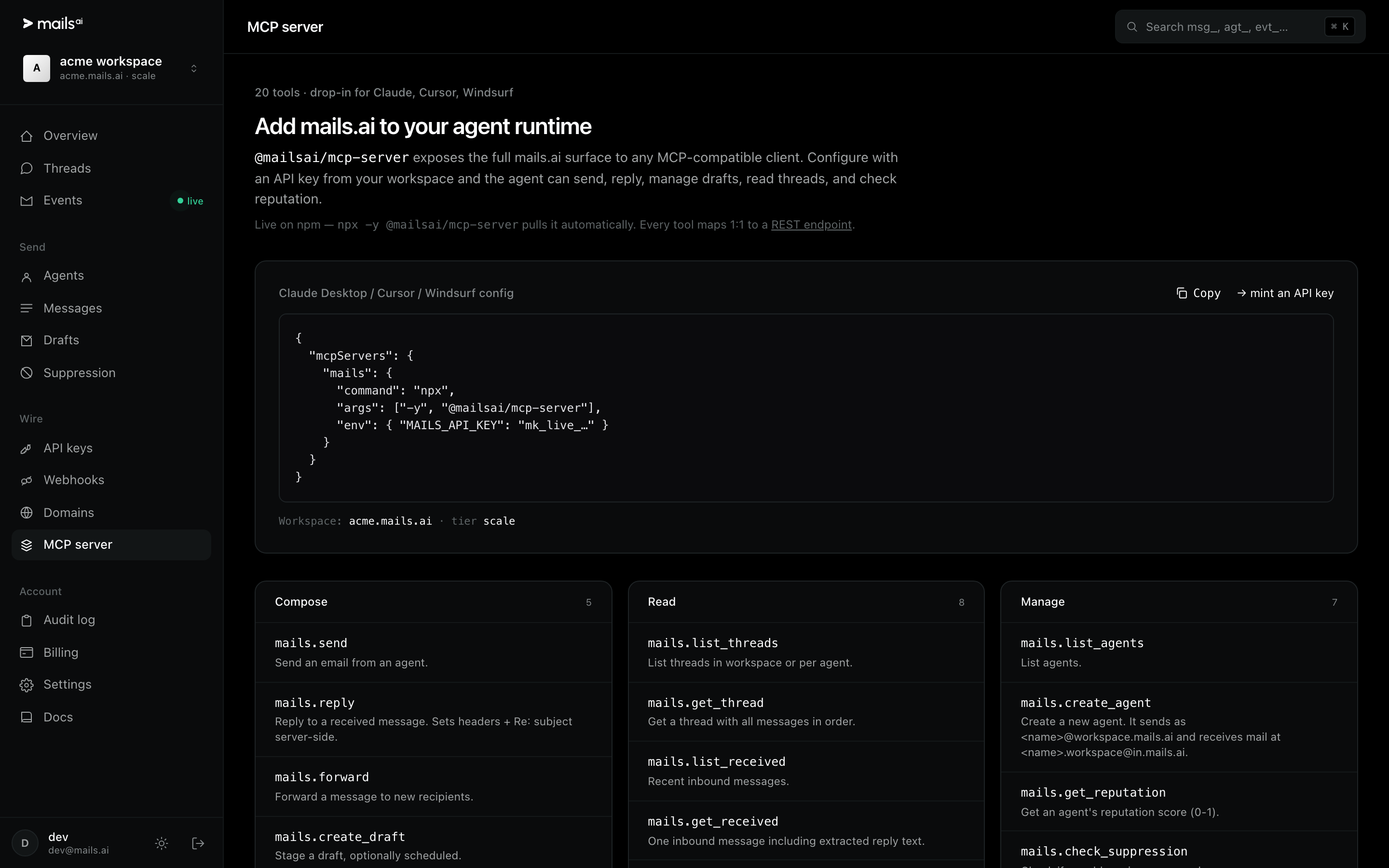
Configuration
{
  "mcpServers": {
    "mails": {
      "command": "npx",
      "args": ["-y", "@mailsai/mcp-server"],
      "env": { "MAILS_API_KEY": "mk_live_..." }
    }
  }
}
That block goes in your client's MCP config — Claude Desktop, Cursor and Windsurf all read the same shape. The Dashboard's MCP page has a copy button and mints a key in the same place.
What the tools do
Compose —
mails.send,mails.reply,mails.forward,mails.create_draft.Read —
mails.list_threads,mails.get_thread,mails.list_received,mails.get_received.Manage —
mails.list_agents,mails.create_agent,mails.get_reputation,mails.check_suppression.
Use a test key while you are wiring it up. An assistant with a live send tool and an imperfect prompt is exactly the situation test mode exists for.
Open the MCP page