

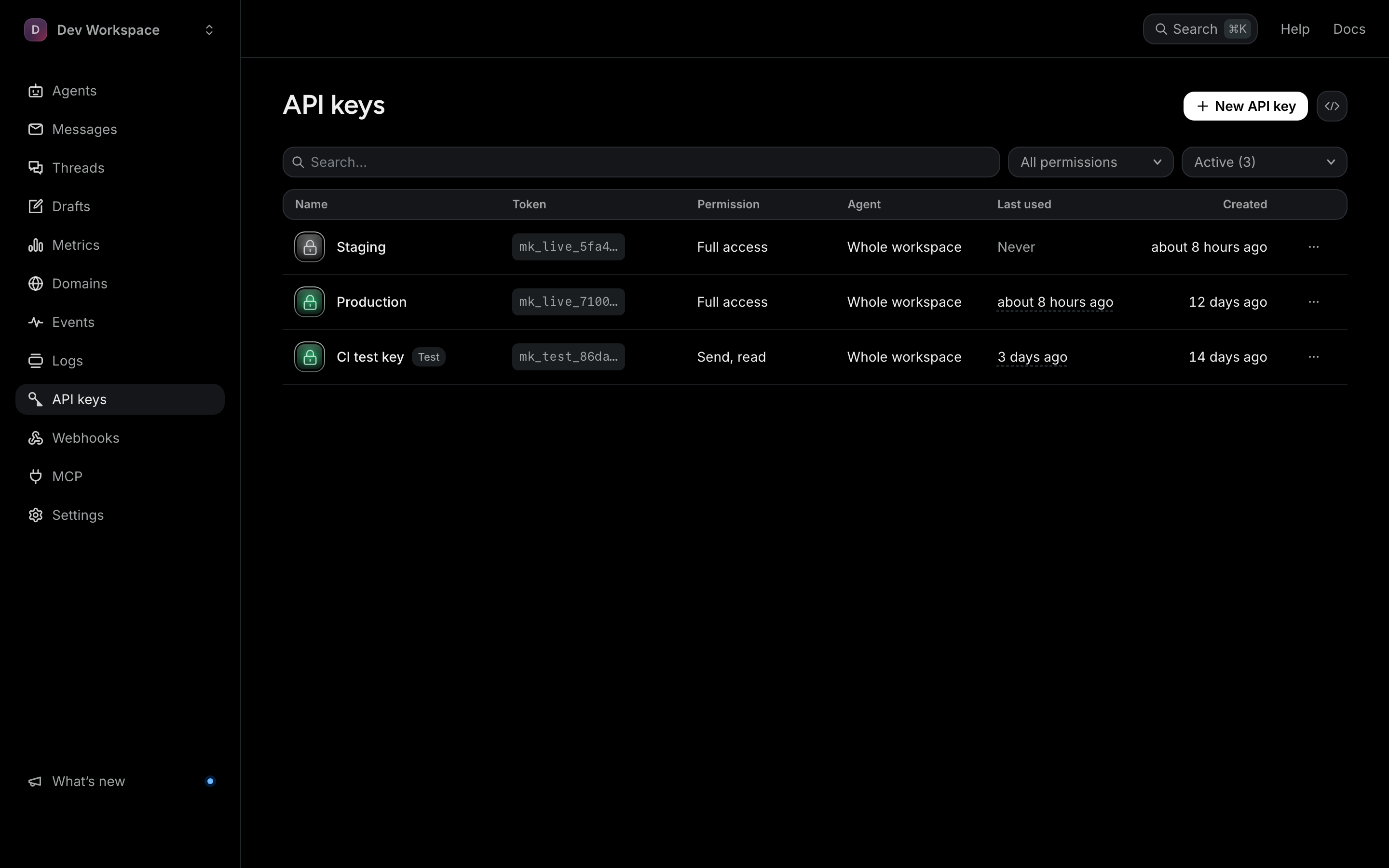
Keys are bearer tokens for api.mails.ai. A key is shown in full exactly once, at creation; after that only its prefix is visible, because we store a hash and genuinely cannot recover it for you.
Two modes
mk_live_...— real sends, real billing.mk_test_...— the same calls, events and webhooks, but nothing is transmitted and nothing is billed. Quota, suppression and rate-limit checks are skipped, and a message the firewall would refuse comes back with a warning instead.
Scoping
A key carries scopes: send sends mail, read reads it, draft writes drafts but can never send or schedule one, and manage changes the workspace, from agents and keys to webhooks, domains and billing. A key can also be bound to a single agent, with the Agent choice when you create it in the dashboard or agent_id through the API. A bound key sends as that agent only and reads only its mail: another agent's messages and threads answer 404. That is what you want for the service that only ever sends receipts. Keys are capped per plan: 10 on Free, 50 on Pro, 200 on Scale; revoked keys do not count.
Rotation
Create the new key.
Deploy it.
Watch Last used on the old key until it stops moving.
Revoke the old key.
Revoking is immediate and cannot be undone. If a key has leaked, revoke first and reorder those steps — a few failed requests are cheaper than an open door. Anything the key had scheduled is not sent when it comes due: it fails with scheduling_key_revoked, so schedule it again with the new key if it should still go.