

An address that hard-bounced or filed a spam complaint is suppressed for every sender on mails.ai, and an address that unsubscribed from your mail is suppressed for your workspace. A later send with that address in to, cc or bcc is refused with 422 recipient_suppressed before it reaches the wire. This is not us being cautious on your behalf — continuing to mail an address that has bounced is precisely what destroys a sending reputation.
Checking one address
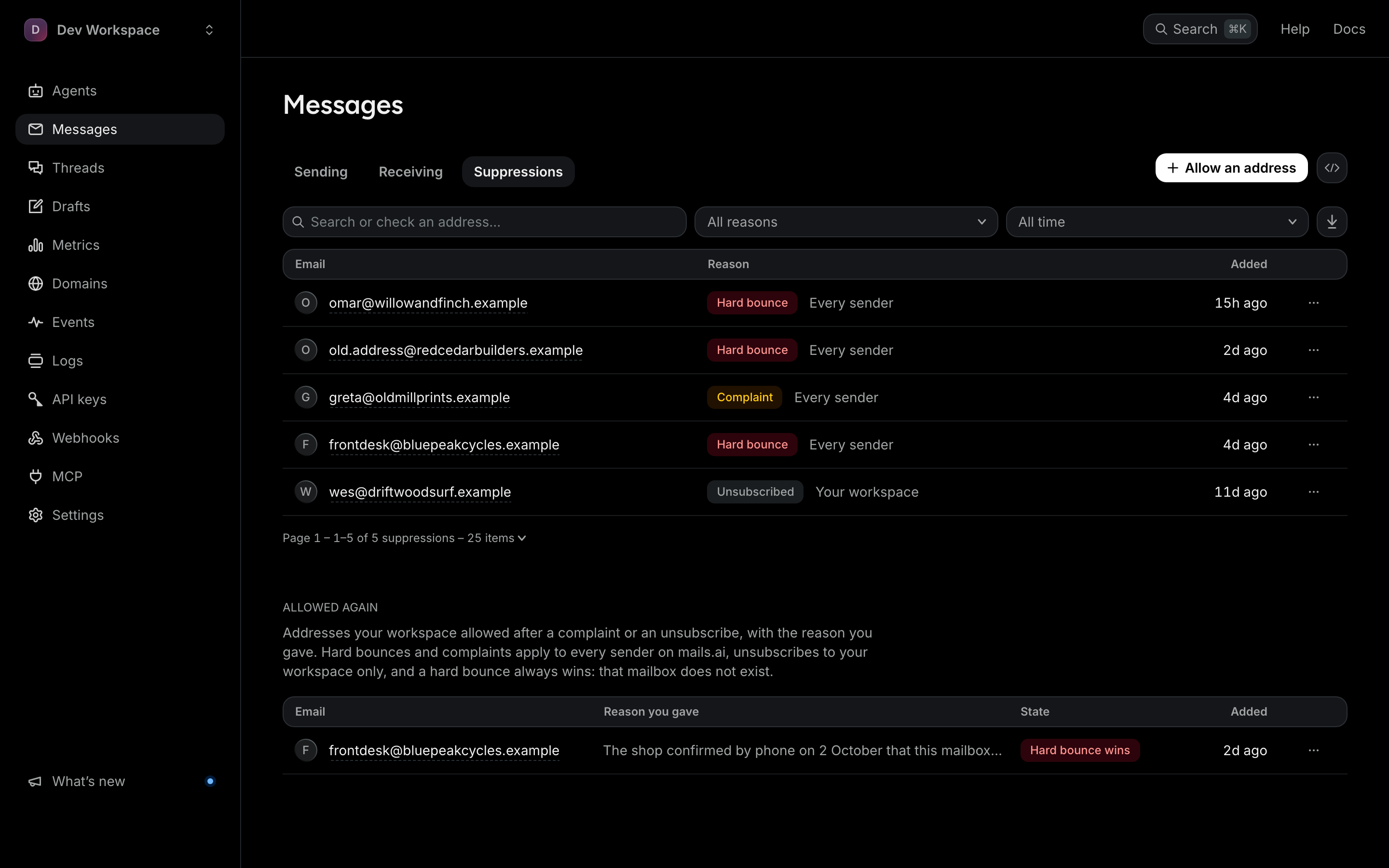
The Suppressions tab on the Messages page has a box to search or check an address: type a whole address and it is checked directly. GET /v1/suppression?address=… runs the same lookup through the API. Addresses are stored hashed, so the list itself cannot be browsed: the tab shows only which of your own recent recipients are on it, and GET /v1/suppression?view=suppressed returns the same.
Overriding
Allow an address on that tab, or POST /v1/suppression/allow, adds an address to your workspace allowlist. It needs an attestation: at least 20 characters saying why this recipient expects your mail, recorded with the entry, and only an owner, an admin or a key with manage can add one. A hard bounce means the mailbox does not exist — an allowlist entry does not conjure it back — so this is for a complaint or an unsubscribe where the customer has genuinely asked you to resume.
Open suppressionsComplaint rates are re-checked every 15 minutes for each agent and every hour across your whole workspace. An agent that crosses 0.3% — the spam-rate line Gmail tells every sender to stay under — is paused automatically, and resumes on its own once its rate is back under 0.2%. A workspace that crosses it has every agent paused: a pause on its last 24 hours can lift by itself, and one on its last 30 days is lifted by support. A pause is cheaper than a burned domain.