

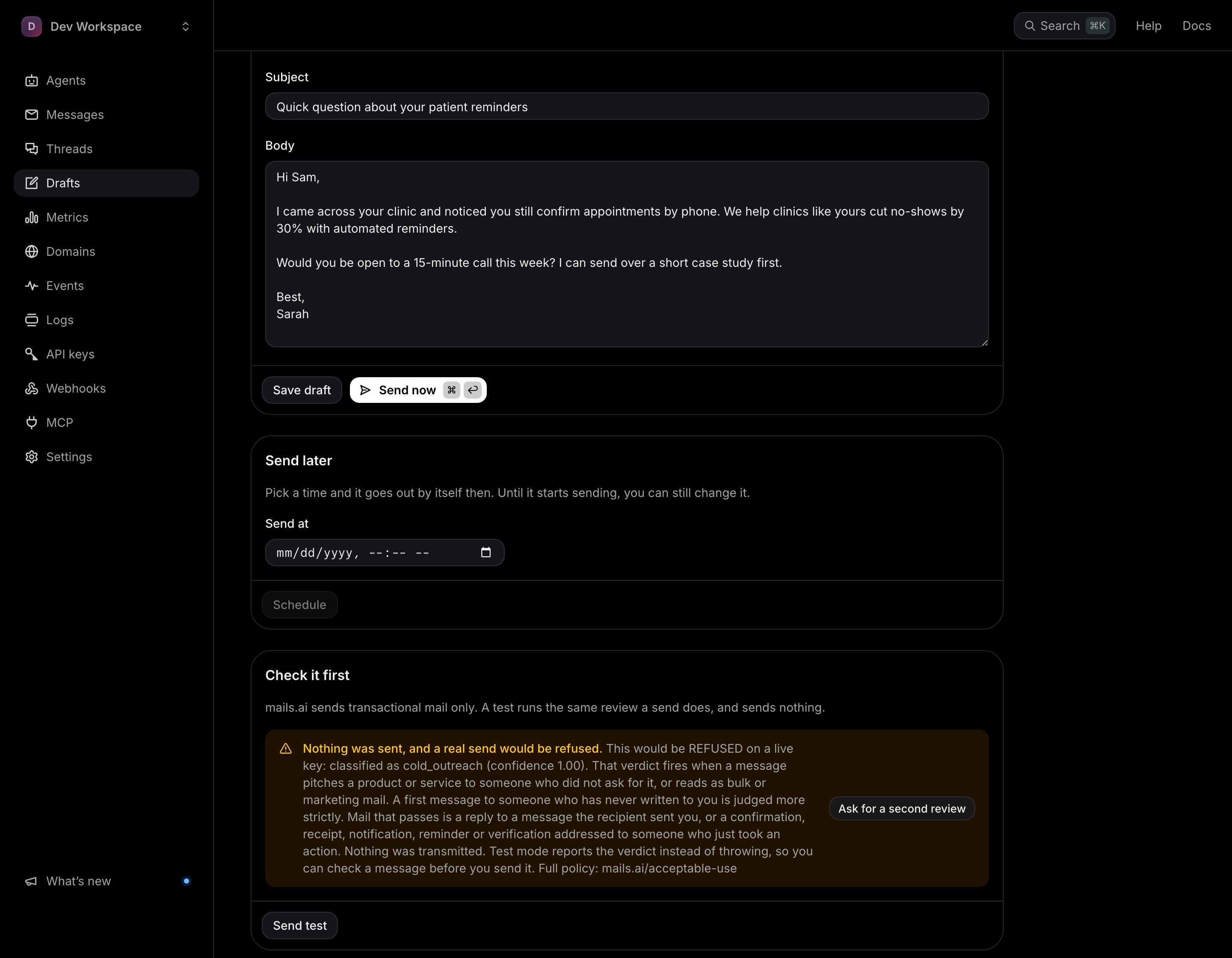
422 cold_email_prohibited means the outbound firewall refused the message: most often as cold outreach or bulk marketing, but the same code also covers spam, prohibited content and phishing-style links, and the message on the refusal says which. Mails.ai carries transactional, recipient-initiated mail only, and this refusal is the mechanism, not an accident.
What triggers it
That verdict fires when a message pitches a product or service to someone who did not ask for it, or reads as bulk or marketing mail. A first message to someone who has never written to you is judged more strictly, but it is not refused for that alone.
What passes
Mail that passes is a reply to a message the recipient sent you, or a confirmation, receipt, notification, reminder or verification addressed to someone who just took an action.
Check a message without sending it
Send it with a test key (mk_test_...), or press Send test in the dashboard composer. Test sends are classified and the verdict is returned to you, but nothing is transmitted and nothing is billed. That turns a refusal into a ten-second edit instead of a support thread.
Open the composerIf you think the verdict is wrong, there is a real appeal — see the next article. "Contact support" is not the answer we want to give you, and it is no longer the answer the API gives.