
An inbound does not arrive as raw text. It arrives as an event that already says how far to trust it: an injection score and a sender score. Switch on classification for an agent (classify_inbound, on the paid plans) and a first message from someone new also says what they want, what facts they named and how urgent it reads.
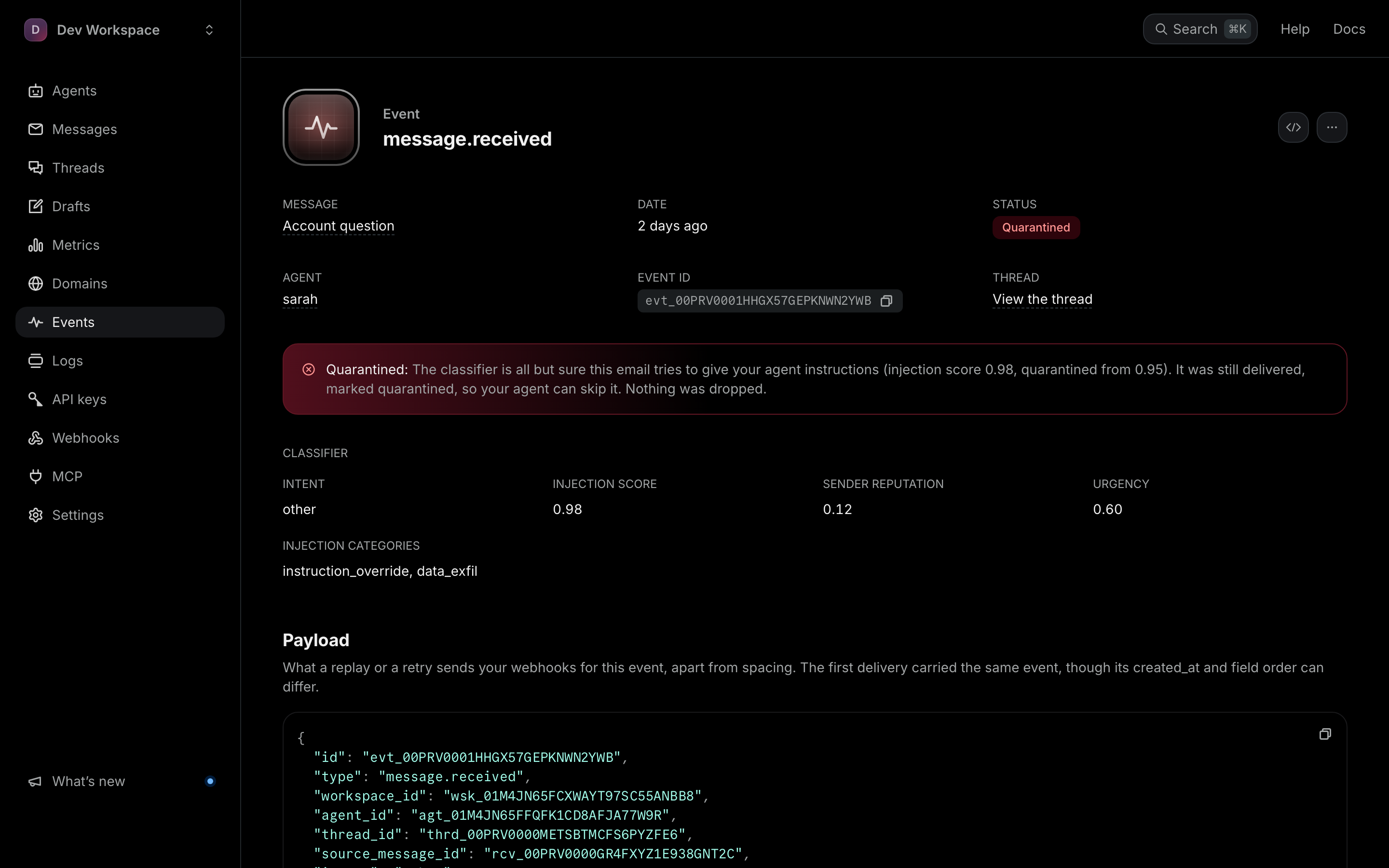
What is on an inbound event
intent— what the message is trying to do, in one label. Filled in on a first message when classification is on, andunclassifiedwhen it is off; on a reply it is alwaysgeneral_reply.entities— the facts pulled out of it, like a proposed time. Empty on a reply, and when classification is off.urgency— 0 to 1 when classification is on; 0.5 on a reply.injection_score— 0 to 1, withinjection_categorieslisting what was flagged (empty when nothing was).sender_reputation— a 0 to 1 trust score for this one message.extracted_text— the message itself, quoted history removed.
The full event list
These are the event types we actually emit — subscribing to anything else would create an endpoint that can never fire, so the API rejects it:
message.sent          message.received                   draft.scheduled
message.scheduled     message.received.unauthenticated   draft.sending
message.delivered     message.received.over_limit        draft.sent
message.delayed       reply.received                     draft.failed
message.bounced       suppression.added                  thread.created
message.complained    webhook.test                       thread.updated
message.failed                                           thread.deleted
A * subscription receives every type except message.delayed and the three thread events, which an endpoint gets only by naming them.
The Events page streams them live, which is the fastest way to watch what your agent is actually receiving while you build.
Watch the event stream